 OpenAi-HK
flux 画像生成モデル
他の言語では、dall-e-3と同様のAPIインターフェースを使用したcurlの例を利用できます
curl 例
shell
curl  https://api.openai-hk.com/v1/images/generations \
  -H 'Authorization: Bearer hk-replace-with-your-key' \
  -H "Content-Type: application/json" \
  -d '{
    "model": "flux",
    "prompt": "a white siamese cat",
    "n": 1,
    "size": "1024x1024"
  }'
curl https://api.openai-hk.com/v1/images/generations \
-H 'Authorization: Bearer hk-replace-with-your-key' \
-H "Content-Type: application/json" \
-d '{
"model": "flux",
"prompt": "a white siamese cat",
"n": 1,
"size": "1024x1024"
}'オンラインテスト
注意 1. https://flux.ddaiai.com にアクセスしてください(ブロックされた場合は、サブドメインプレフィックスをsuibianに変更してみてください)
2. ブロックされている場合は、自分でアドレスを変更できます:https://suibian.ddaiai.com — suibianを他のものに置き換えてください。例:https://2024.ddaiai.com、すべて動作します
設定
次に、以下の画像のように各フィールドを設定します:
OpenAI API endpoint: https://api.openai-hk.com
OpenAI API KEY: hk-your-apiKey
次に、以下の画像のように各フィールドを設定します:
OpenAI API endpoint: https://api.openai-hk.com
OpenAI API KEY: hk-your-apiKey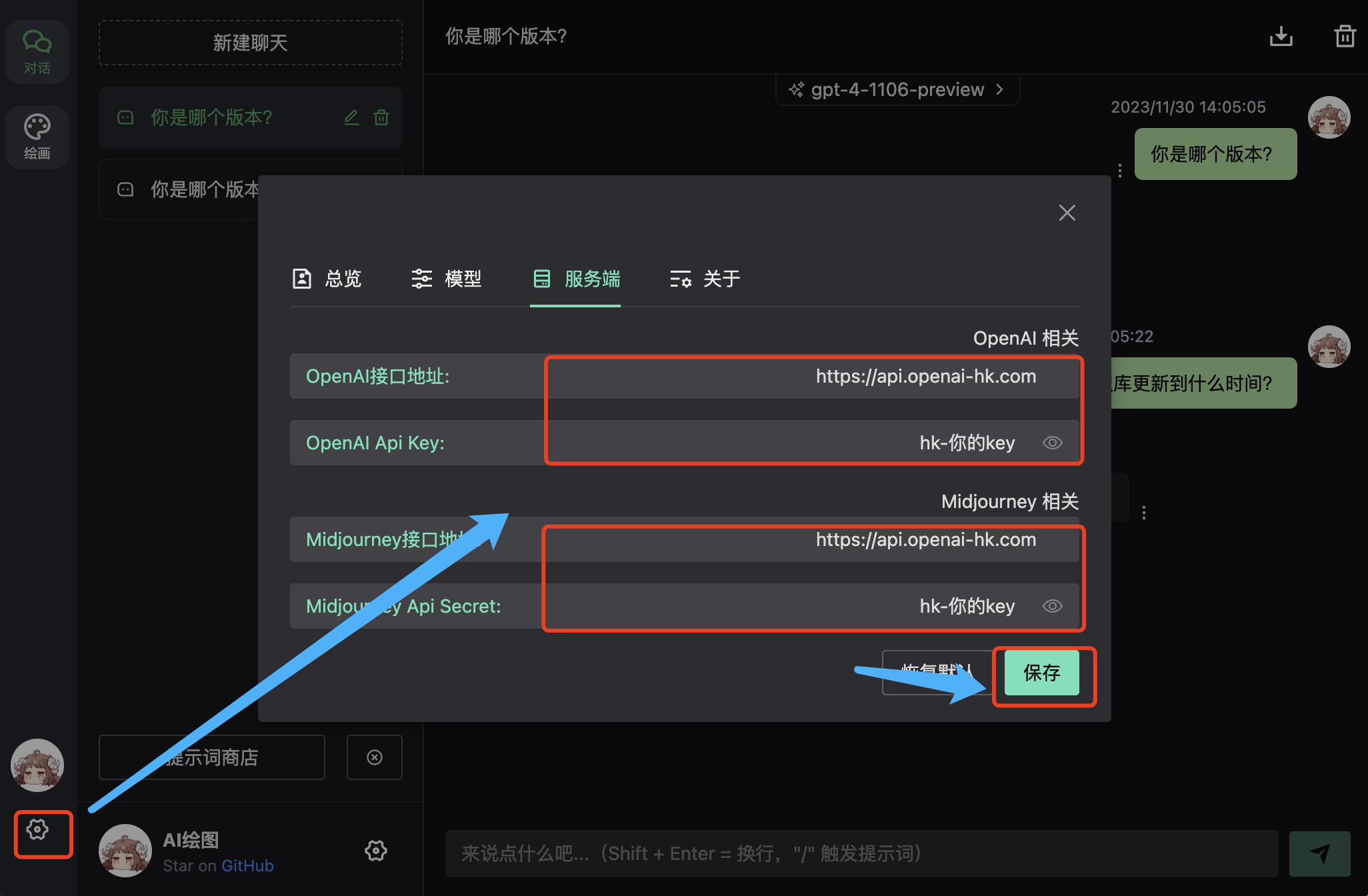
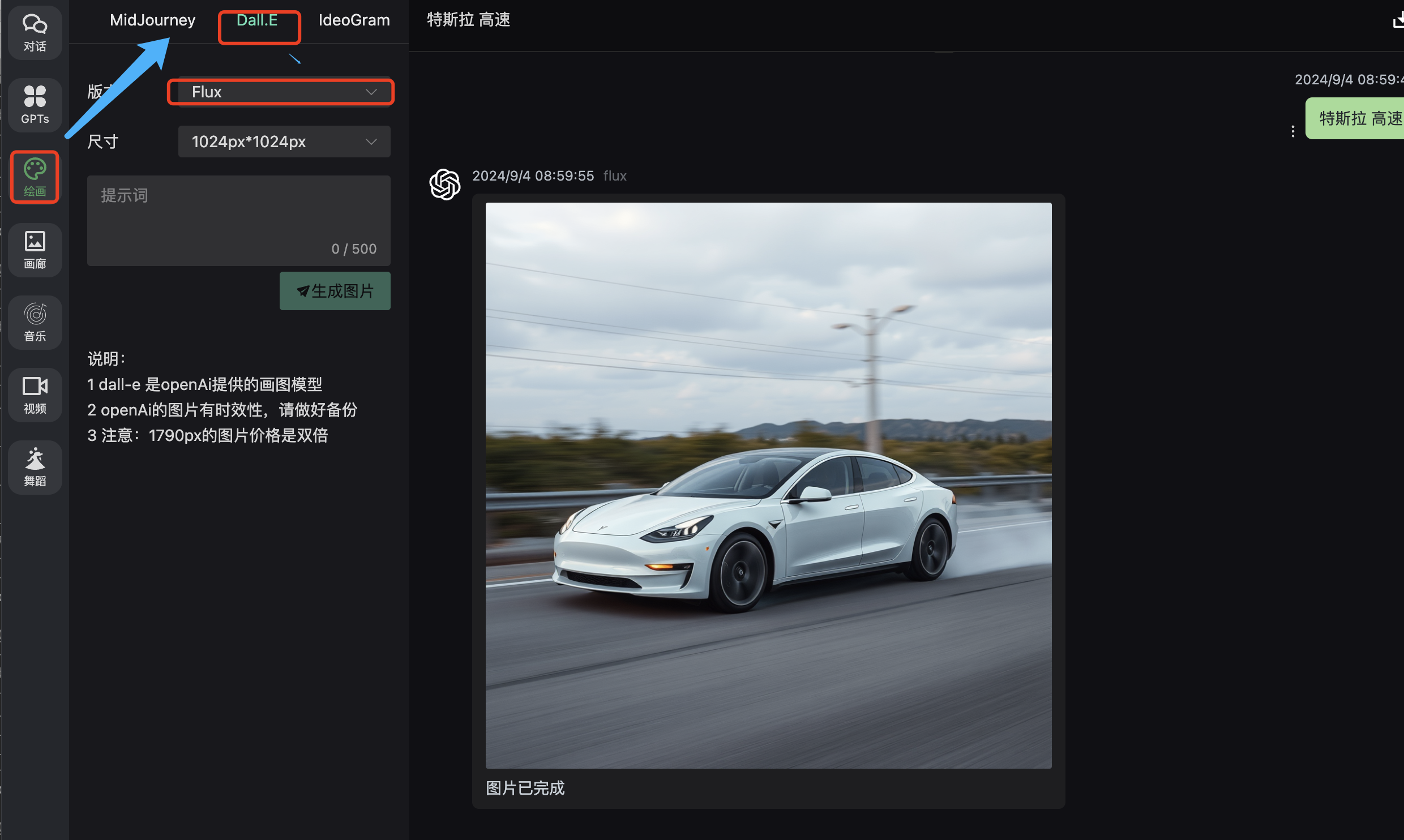
結果
入力ボックスにプロンプトを入力してください
flux-kontext
- 画像を添付します
- 入力ボックスに画像に加える変更を説明するプロンプトを入力します
modelはflux-kontext-maxまたはflux-kontext-proを指定できます
shell
curl -X POST "https://api.openai-hk.com/v1/images/edits" \
  -H "Authorization: Bearer hk-replace-with-your-key" \
  -F "model=flux-kontext-pro" \
  -F "image[]=@body-lotion.png" \
  -F 'prompt=Generate a photorealistic image of a gift basket on a white background labeled "Relax & Unwind" with a ribbon and handwriting-like font, containing all the items in the reference pictures'
curl -X POST "https://api.openai-hk.com/v1/images/edits" \
-H "Authorization: Bearer hk-replace-with-your-key" \
-F "model=flux-kontext-pro" \
-F "image[]=@body-lotion.png" \
-F 'prompt=Generate a photorealistic image of a gift basket on a white background labeled "Relax & Unwind" with a ribbon and handwriting-like font, containing all the items in the reference pictures'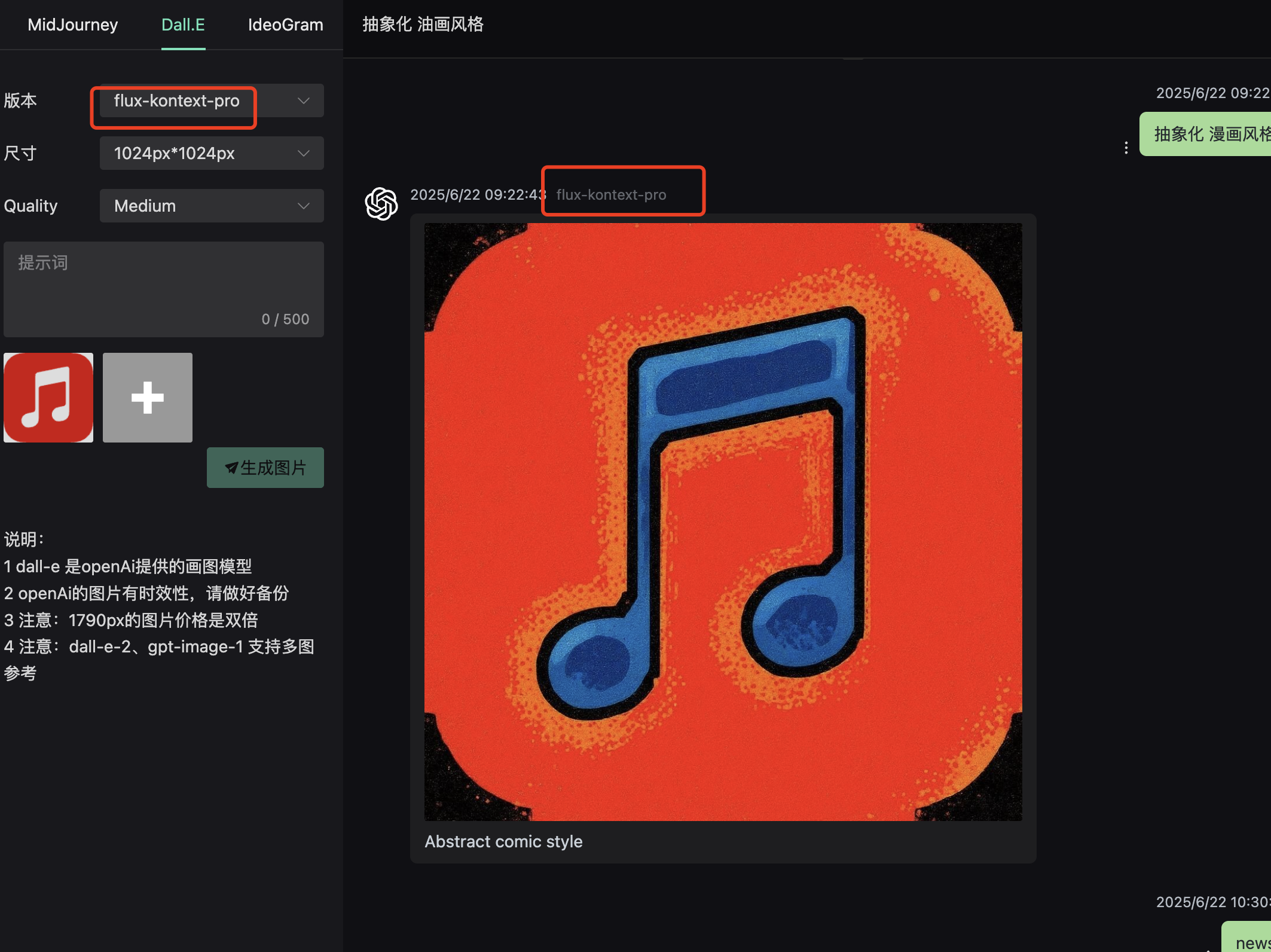
Flux Api
- タスクを作成する
- タスクのステータスを照会する
タスクを作成する
shell
curl --request POST \
  --url https://api.openai-hk.com/vmodel/generate \
  --header 'Authorization: Bearer hk-your-key' \
  --header 'Content-Type: application/json' \
  --data '{
    "model":"flux-schnell",
    "input": {
      "prompt": "空気",
      "num_outputs": 1,
      "aspect_ratio": "1:1",
      "output_format": "jpg",
      "output_quality": 80,
      "seed": 1900004
    }
  }'
curl --request POST \
--url https://api.openai-hk.com/vmodel/generate \
--header 'Authorization: Bearer hk-your-key' \
--header 'Content-Type: application/json' \
--data '{
"model":"flux-schnell",
"input": {
"prompt": "空気",
"num_outputs": 1,
"aspect_ratio": "1:1",
"output_format": "jpg",
"output_quality": 80,
"seed": 1900004
}
}'リクエストボディのフィールド説明
| フィールド | 型 | 説明 |
|---|---|---|
| model | string | オプション: flux flux-schnell flux-dev flux-pro |
| input | object | このモデルのパラメータ |
| input.prompt | string | プロンプトテキスト |
| input.num_outputs | number | 出力する画像の数、1-4 |
| input.output_quality | number | 出力品質、1-100 |
| input.seed | number | ランダムシード |
| input.aspect_ratio | string | アスペクト比: 1:1 3:4 4:3 16:9 9:16 2:3 3:2 |
レスポンスボディ — idを返します
json
{
  "id": "j3thn0r501rme0cm9xq9sy6xkc"
}
{
"id": "j3thn0r501rme0cm9xq9sy6xkc"
}タスクのステータスを照会する
json
{
  "id": "j3thn0r501rme0cm9xq9sy6xkc",
  "model": "flux-schnell",
  "input": {
    "aspect_ratio": "1:1",
    "num_outputs": 1,
    "output_format": "jpg",
    "output_quality": 80,
    "prompt": "空気",
    "seed": 1900004
  },
  "output": [
    "https://file.aigpai.com/xezq/g44ll27rzLKfdSUDv0UKeYcKYkbhNeUC6USpE3uRW0VMWSHoA/out-0.jpg"
  ],
  "status": "succeeded",
  "error": null
}
{
"id": "j3thn0r501rme0cm9xq9sy6xkc",
"model": "flux-schnell",
"input": {
"aspect_ratio": "1:1",
"num_outputs": 1,
"output_format": "jpg",
"output_quality": 80,
"prompt": "空気",
"seed": 1900004
},
"output": [
"https://file.aigpai.com/xezq/g44ll27rzLKfdSUDv0UKeYcKYkbhNeUC6USpE3uRW0VMWSHoA/out-0.jpg"
],
"status": "succeeded",
"error": null
}フィールド説明
| フィールド | 型 | 説明 |
|---|---|---|
| id | string | |
| model | string | オプション: flux flux-schnell flux-dev flux-pro |
| input | object | このモデルのパラメータ |
| output | []string | 結果のURL |
| status | string | ステータス: starting processing succeeded failed |
| error | string | エラーメッセージ |