 OpenAi-HK
whisper tts 音声⇔テキスト変換
本中継サービスは音声モデル whisper、tts に対応しています
whisper音声からテキストへ、関連モデル:whisper-1ttsテキストから音声へ、関連モデル:tts-1tts-1-hdtts-1-1106tts-1-1106-hd- 価格は公式サイトと同じです
効果図
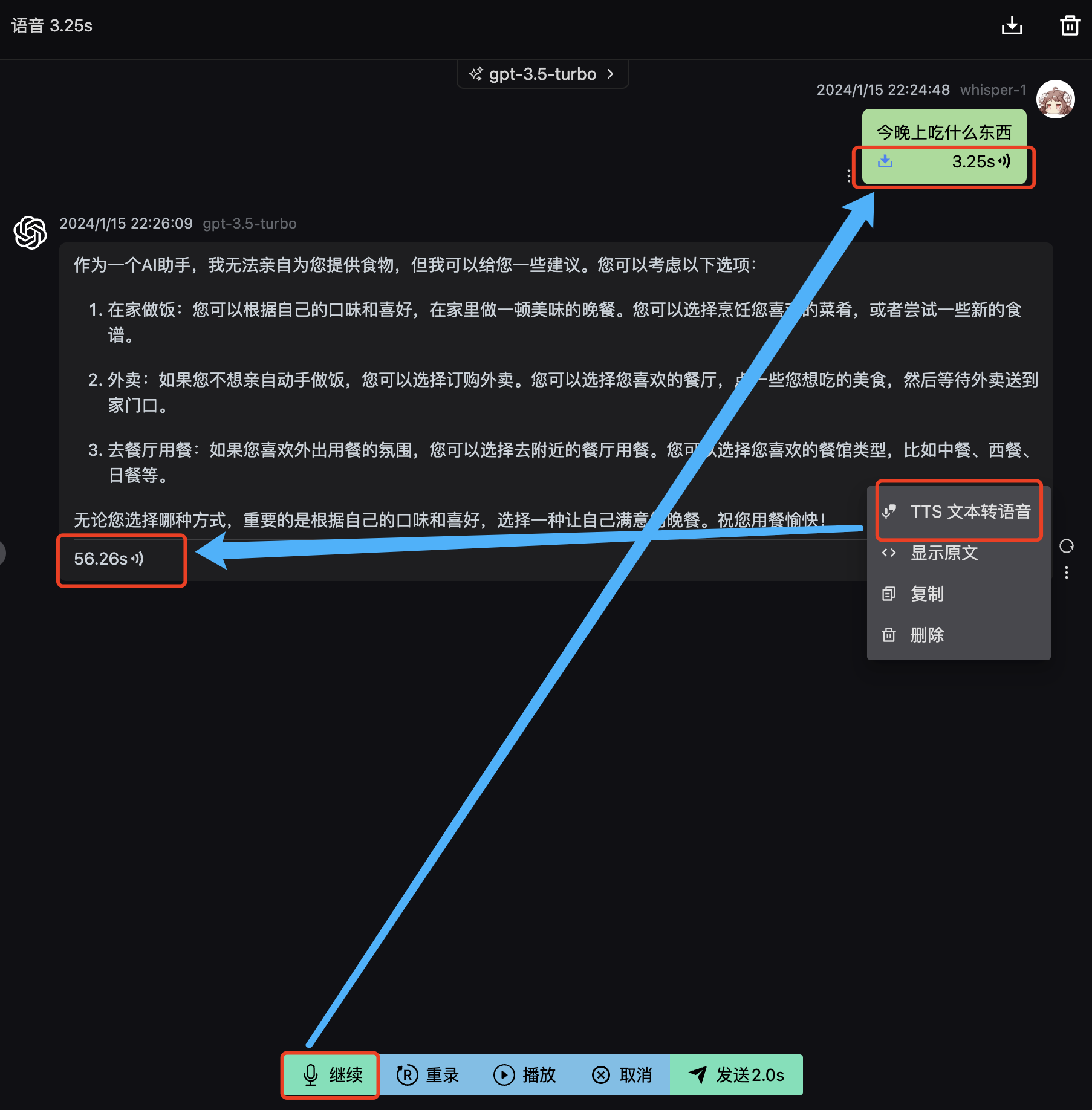
whisper curlサンプル
リクエスト
shell
curl --request POST \
  --url https://api.openai-hk.com/v1/audio/transcriptions \
  --header 'Authorization: Bearer hk-你的key' \
  --header 'Content-Type: multipart/form-data' \
  --form file=@/path/to/file/openai.mp3 \
  --form model=whisper-1
curl --request POST \
--url https://api.openai-hk.com/v1/audio/transcriptions \
--header 'Authorization: Bearer hk-你的key' \
--header 'Content-Type: multipart/form-data' \
--form file=@/path/to/file/openai.mp3 \
--form model=whisper-1レスポンス
json
{
  "text": "語音識別内容 支持中文"
}
{
"text": "語音識別内容 支持中文"
}tts curlサンプル
shell
curl https://api.openai-hk.com/v1/audio/speech \
  -H "Authorization: Bearer hk-你的key" \
  -H "Content-Type: application/json" \
  -d '{
    "model": "tts-1",
    "input": "你说点什么 包括中文!",
    "voice": "alloy"
  }' \
  --output speech.mp3
curl https://api.openai-hk.com/v1/audio/speech \
-H "Authorization: Bearer hk-你的key" \
-H "Content-Type: application/json" \
-d '{
"model": "tts-1",
"input": "你说点什么 包括中文!",
"voice": "alloy"
}' \
--output speech.mp3オンラインテスト
アクセス
1.アクセス先: https://tts.ddaiai.com/ (もしブロックされたら、サブドメインのプレフィックスを suibian に変更してください)
2.もしブロックされていることに気づいたら、アドレスを自分で変更できます。https://suibian.ddaiai.com の suibian を他のものに変更してください。例: https://2024.ddaiai.com でもアクセス可能です
3.対応するGPTsアプリケーションを選択してください
設定
以下の図の対応する場所で設定してください
OpenAiエンドポイント: https://api.openai-hk.com
OpenAi API KEY: hk-你的apiKey
以下の図の対応する場所で設定してください
OpenAiエンドポイント: https://api.openai-hk.com
OpenAi API KEY: hk-你的apiKey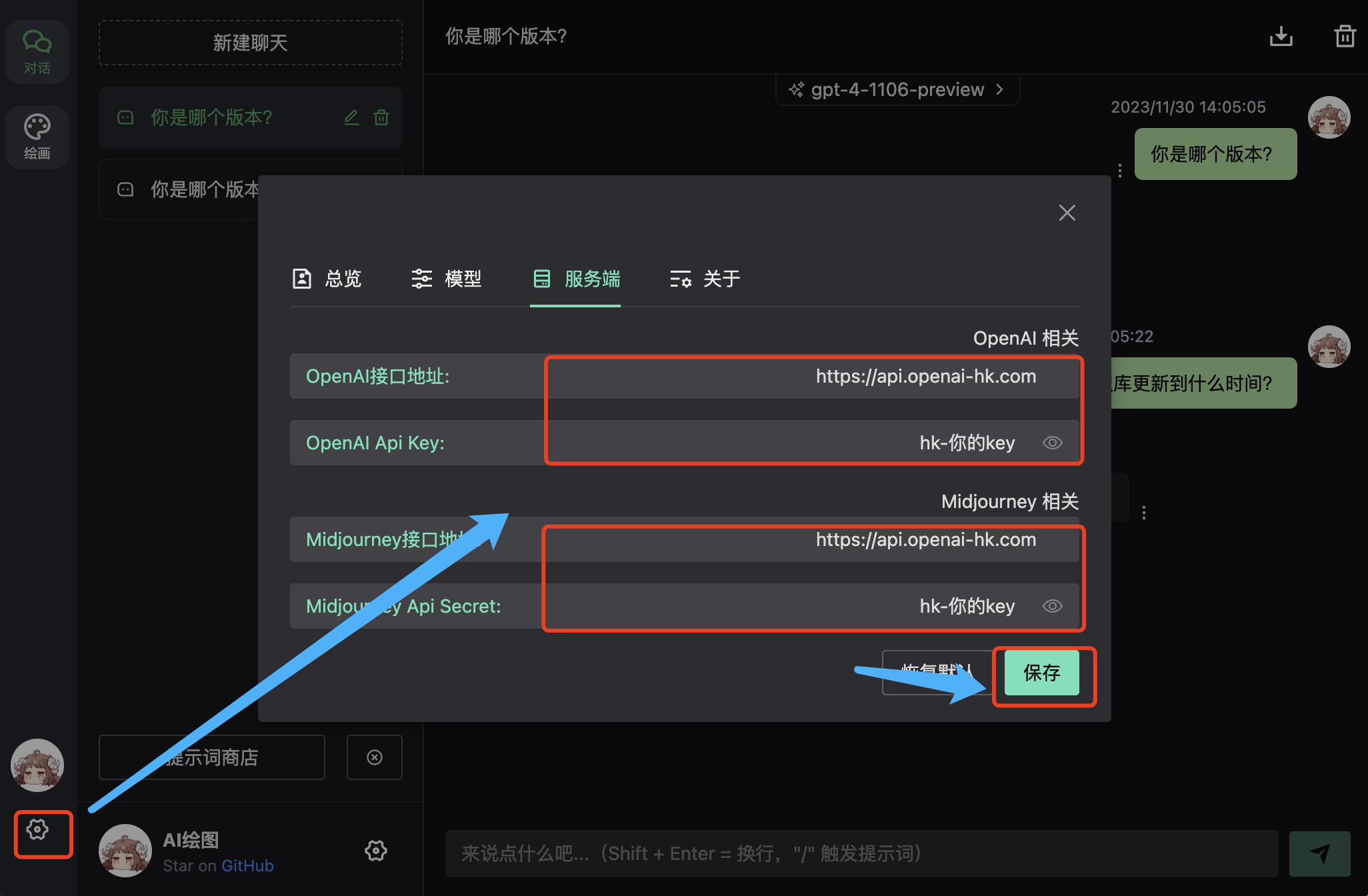
whisper 効果
録音にはhttpsと権限が必要です 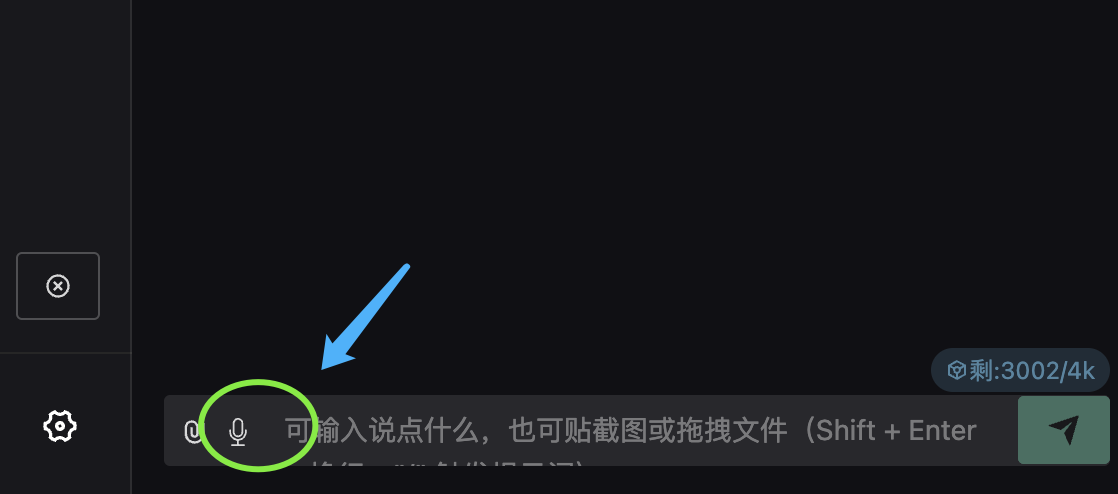
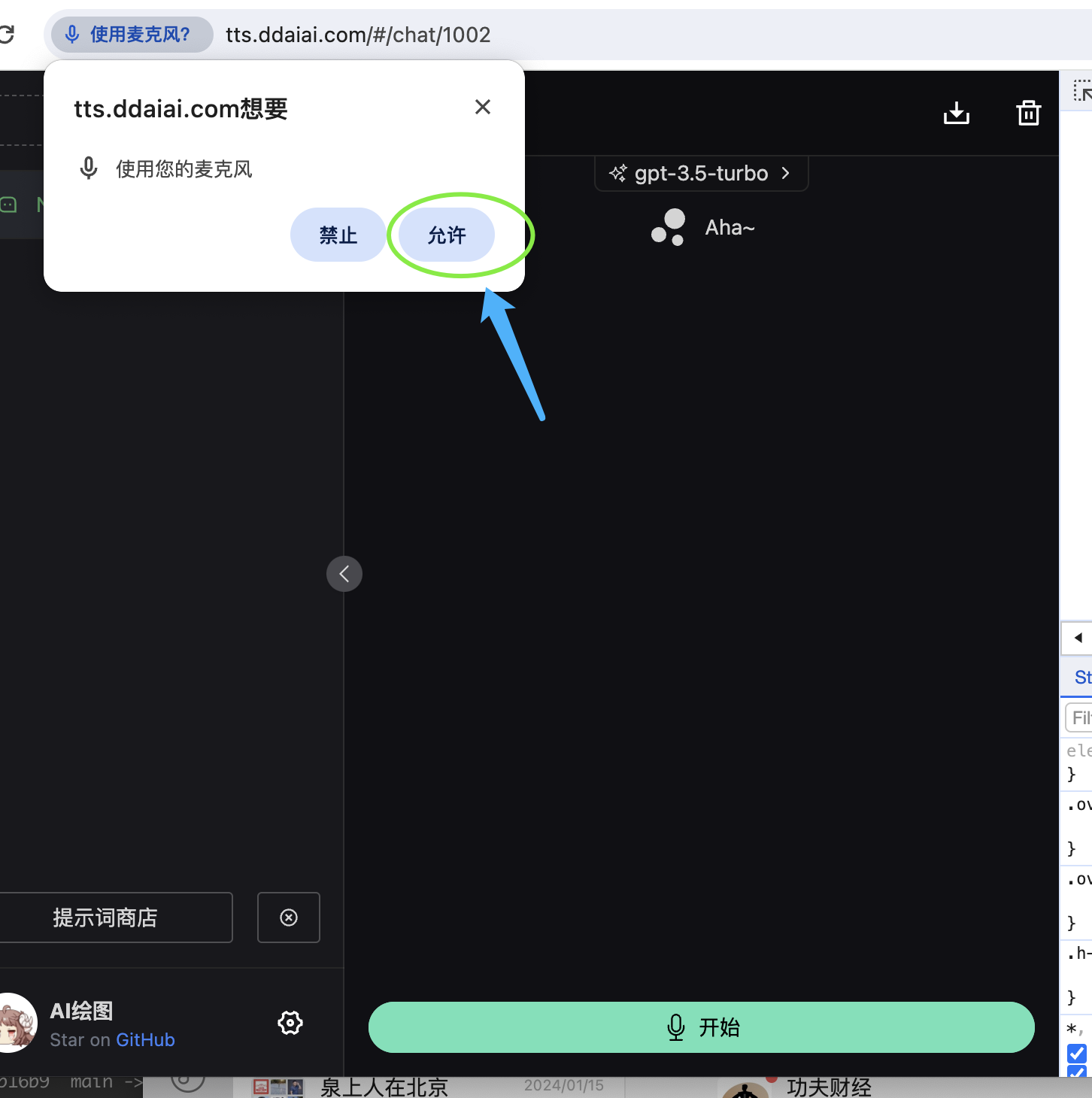 録音開始後、
送信します 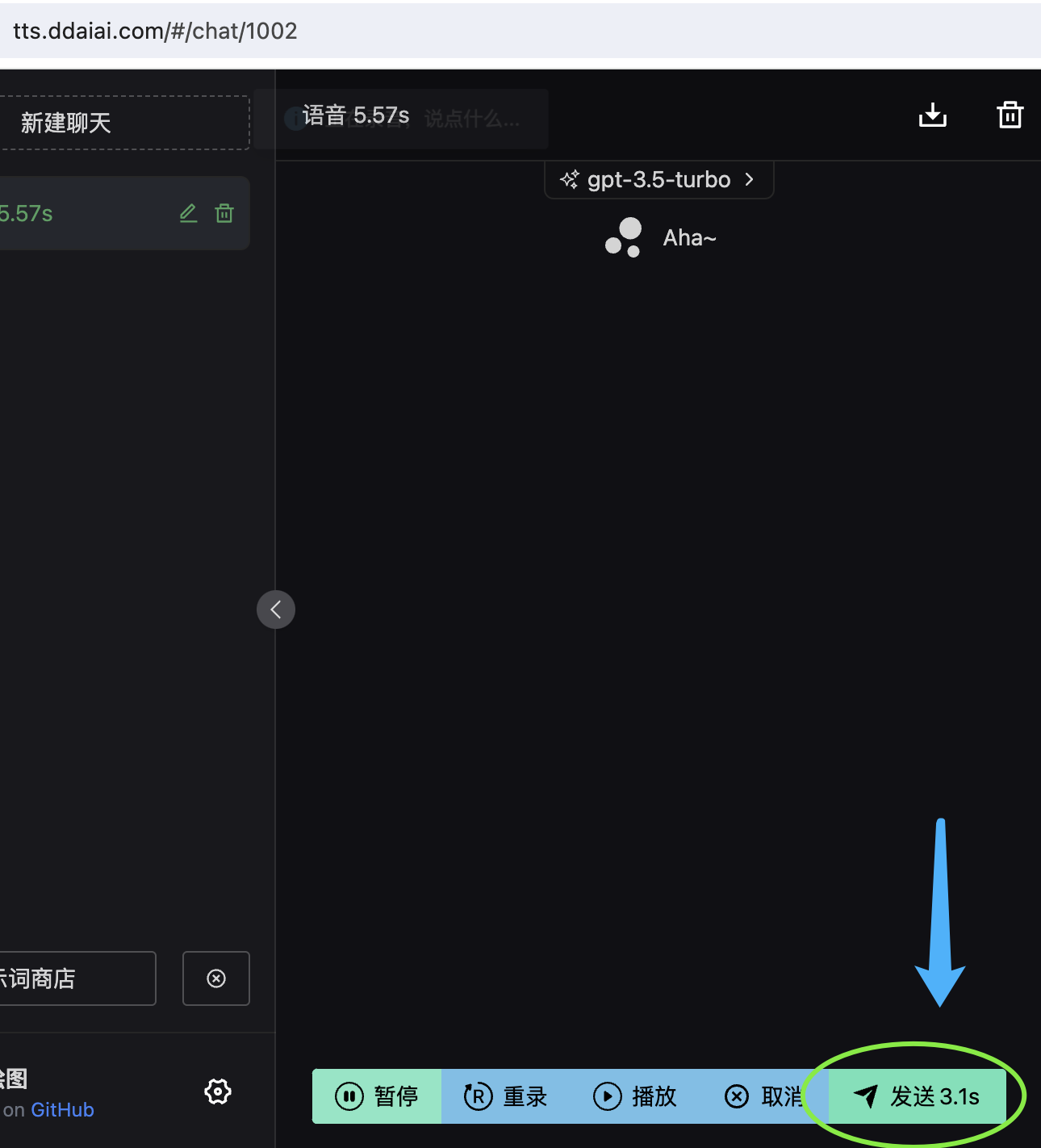 そうすると認識結果が確認できます
tts 効果
「その他」の中から TTS テキスト→音声変換 を探してください