 OpenAi-HK
gpt-image-2 画像生成モデル
- 2026.04.20 当サイトはGPTの画像生成モデル
gpt-image-2に対応しました。dall-eインターフェースで呼び出せます - 2025.12.17 当サイトはGPTの画像生成モデル
gpt-image-1.5に対応しました。dall-eインターフェースで呼び出せます - 2025.04.24 当サイトはGPTの画像生成モデル
gpt-image-1に対応しました。dall-eインターフェースで呼び出せます - 複数画像参照をサポート
/v1/images/edits - 画像は入力・出力画像のトークンが課金されます
料金体系
- 料金は input.text_token、input.image_token、ouput.image_token によって決定されます
- (input.text_token*5 + input.image_token*10 + output.image_token*40)*7.1*10000/1000000 = ポイント
- 1024*1024の
low品質の場合、約800ポイント消費します。medium品質の場合は約3000ポイントですので、品質を適切に選択してください - 料金参考 https://openai.com/api/pricing/
Image Generation API
リクエストパラメータ
| パラメータ名 | 型 | 必須 | 説明 |
|---|---|---|---|
| model | string | はい | モデル名 gpt-image-2、gpt-image-1、gpt-image-1.5 |
| prompt | string | はい | 画像の説明 |
| n | integer | いいえ | 生成する画像の数 |
| size | string | いいえ | 出力サイズ、解像度形式またはauto(デフォルト)をサポート |
| quality | string | いいえ | 画質レベル:low、medium、high、auto(デフォルト) |
| image | file | いいえ | 画像編集の元画像 /v1/images/editsのみサポート |
| response_format | string | いいえ | レスポンス形式:b64_json または url(デフォルト) |
size制約- 最大辺長 ≤
3840px - 両辺とも16の倍数である必要があります
- 長辺と短辺の比率は3:1を超えないこと
- 総ピクセル数範囲:655,360 ~ 8,294,400
- 最大辺長 ≤
一般的なサイズの組み合わせ
| 比率 | size | K |
|---|---|---|
| 1:1 Square | 1024×1024 | 1K |
| 1:1 Square | 2048×2048 | 2K |
| 1:1 Square | 2880×2880 | 4K |
| 16:9 Widescreen | 1280×720 | 1K |
| 16:9 Widescreen | 2048×1152 | 2K |
| 16:9 Widescreen | 3840×2160 | 4K |
| 9:16 Story | 720×1280 | 1K |
| 9:16 Story | 1152×2048 | 2K |
| 9:16 Story | 2160×3840 | 4K |
| 5:4 Print | 1040×832 | 1K |
| 5:4 Print | 2080×1664 | 2K |
| 5:4 Print | 3200×2560 | 4K |
| 4:5 Feed | 832×1040 | 1K |
| 4:5 Feed | 1664×2080 | 2K |
| 4:5 Feed | 2560×3200 | 4K |
| 4:3 Classic | 1024×768 | 1K |
| 4:3 Classic | 2048×1536 | 2K |
| 4:3 Classic | 3264×2448 | 4K |
| 3:4 Vertical | 768×1024 | 1K |
| 3:4 Vertical | 1536×2048 | 2K |
| 3:4 Vertical | 2448×3264 | 4K |
| 3:2 Photo | 1008×672 | 1K |
| 3:2 Photo | 2064×1376 | 2K |
| 3:2 Photo | 3504×2336 | 4K |
| 2:3 Portrait | 672×1008 | 1K |
| 2:3 Portrait | 1376×2064 | 2K |
| 2:3 Portrait | 2336×3504 | 4K |
| 21:9 Exclusive | 1344×576 | 1K |
| 21:9 Exclusive | 2016×864 | 2K |
| 21:9 Exclusive | 3808×1632 | 4K |
| 参照画像に合わせて自動 | auto | - |
curl 実例
- リクエストエントリーは
/v1/images/generationsと/v1/images/editsをサポート
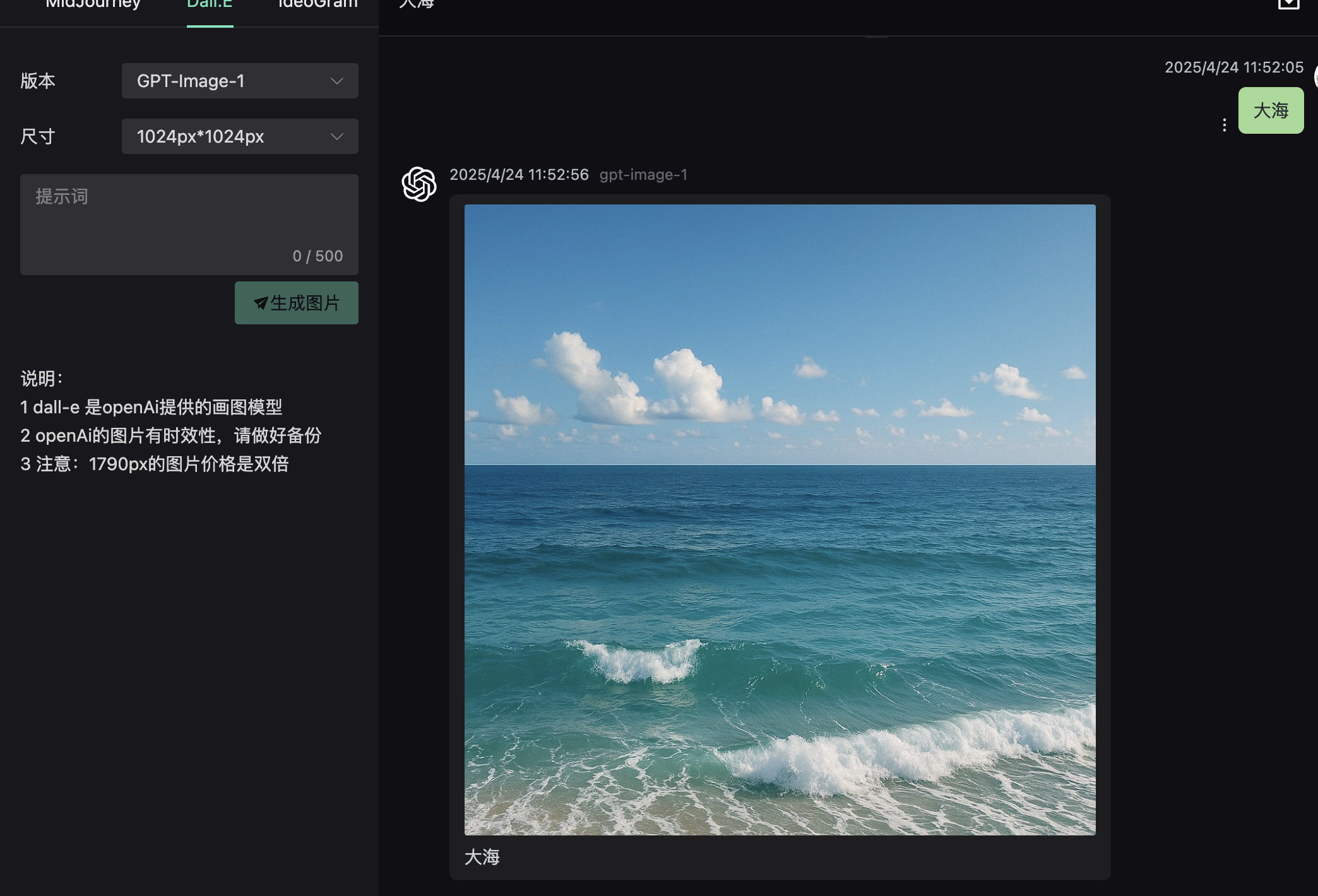
テキストから画像生成
shell
curl  https://api.openai-hk.com/v1/images/generations \
  -H 'Authorization: Bearer hk-替換為你的key' \
  -H "Content-Type: application/json" \
  -d '{
    "model": "gpt-image-2",
    "prompt": "a white siamese cat",
    "n": 1,
    "size": "1024x1024",
    "quality": "low"
  }'
curl https://api.openai-hk.com/v1/images/generations \
-H 'Authorization: Bearer hk-替換為你的key' \
-H "Content-Type: application/json" \
-d '{
"model": "gpt-image-2",
"prompt": "a white siamese cat",
"n": 1,
"size": "1024x1024",
"quality": "low"
}'
画像編集
shell
curl -X POST "https://api.openai-hk.com/v1/images/edits" \
  -H "Authorization: Bearer hk-替換為你的key" \
  -F "model=gpt-image-2" \
  -F "image[]=@body-lotion.png" \
  -F "image[]=@bath-bomb.png" \
  -F "image[]=@incense-kit.png" \
  -F "image[]=@soap.png" \
  -F 'prompt=Generate a photorealistic image of a gift basket on a white background labeled "Relax & Unwind" with a ribbon and handwriting-like font, containing all the items in the reference pictures'
curl -X POST "https://api.openai-hk.com/v1/images/edits" \
-H "Authorization: Bearer hk-替換為你的key" \
-F "model=gpt-image-2" \
-F "image[]=@body-lotion.png" \
-F "image[]=@bath-bomb.png" \
-F "image[]=@incense-kit.png" \
-F "image[]=@soap.png" \
-F 'prompt=Generate a photorealistic image of a gift basket on a white background labeled "Relax & Unwind" with a ribbon and handwriting-like font, containing all the items in the reference pictures'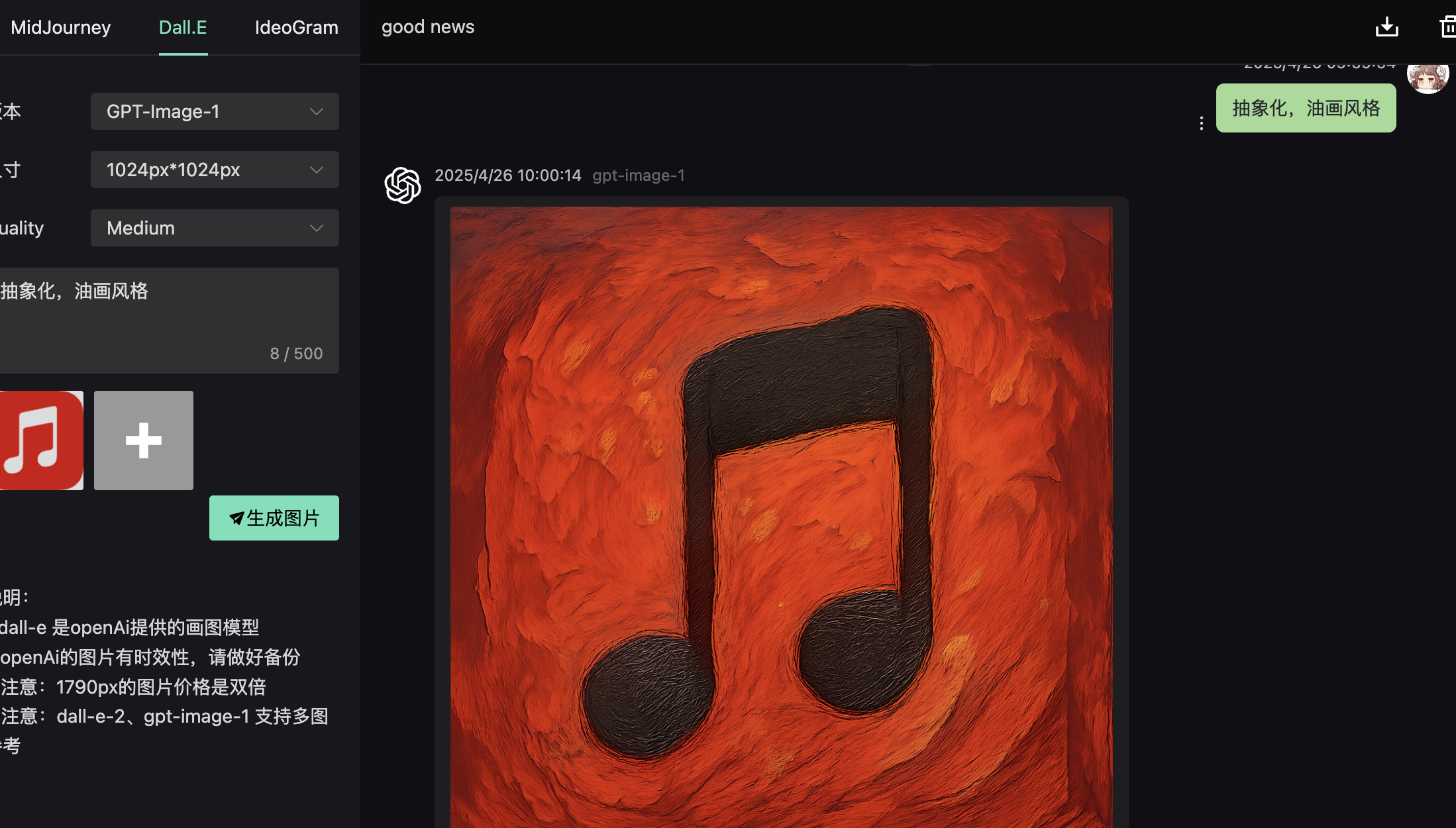
レスポンスデータ
json
{
  "created": 1776220106,
  "data": [
    {
      "revised_prompt": "你原來輸入prompt",
      "url": "https://myfile.addmao.com/20260427/d3272fe0-92c9-4f20-a50b-3114affc45c5.png",
      "b64_json": "data:image/png;base64 当response_format 參數為 b64_json 時返回"
    }
  ],
  "usage": {
    "input_tokens": 6,
    "input_tokens_details": {
      "image_tokens": 0,
      "text_tokens": 6
    },
    "output_tokens": 275,
    "total_tokens": 281
  }
}
{
"created": 1776220106,
"data": [
{
"revised_prompt": "你原來輸入prompt",
"url": "https://myfile.addmao.com/20260427/d3272fe0-92c9-4f20-a50b-3114affc45c5.png",
"b64_json": "data:image/png;base64 当response_format 參數為 b64_json 時返回"
}
],
"usage": {
"input_tokens": 6,
"input_tokens_details": {
"image_tokens": 0,
"text_tokens": 6
},
"output_tokens": 275,
"total_tokens": 281
}
}オンラインテスト
注意
1.アクセス https://gpt4o.ddaiai.com/ (ブロックされている場合は、サブドメインプレフィックスをsuibianに変更してください)
2.ブロックされていることが判明した場合、アドレスを自分で変更できます https://suibian.ddaiai.com の suibian を他のものに変更してください。例:https://2025.ddaiai.com でもアクセス可能です
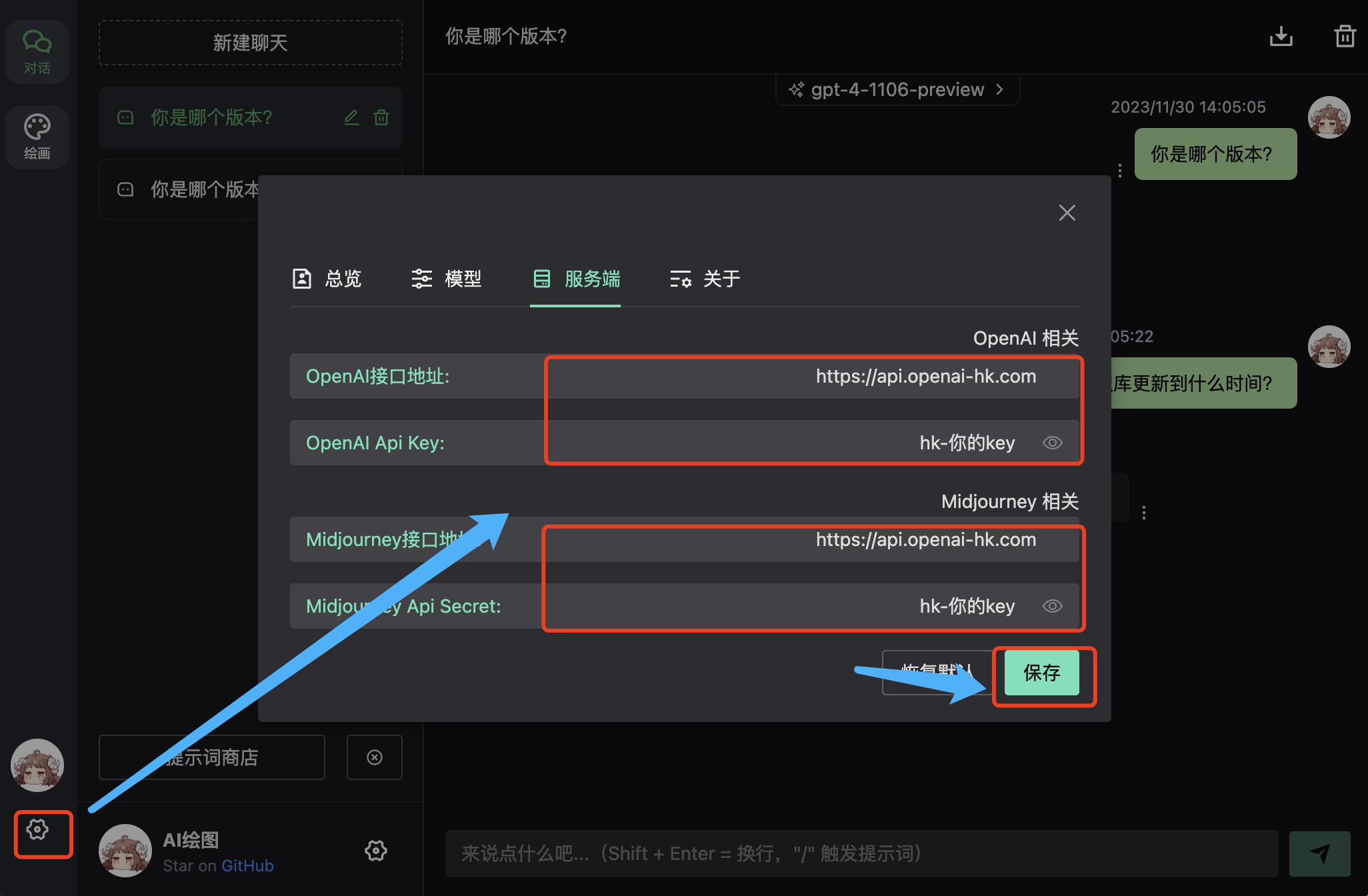
設定
- 下図の対応する場所で設定してください
- OpenAi インターフェースアドレス:https://api.openai-hk.com
- OpenAi API KEY: hk-あなたのapiKey
効果
入力ボックスで対話
抽象化、スタイル最適化
同時に画像+の場所で参照画像をアップロード