 OpenAi-HK
dall-e-3 画像生成モデル
他の言語はcurlの例をChatGPTで変換してください
curl 例
shell
curl  https://api.openai-hk.com/v1/images/generations \
  -H 'Authorization: Bearer hk-あなたのキーに置き換えてください' \
  -H "Content-Type: application/json" \
  -d '{
    "model": "dall-e-3",
    "prompt": "a white siamese cat",
    "n": 1,
    "size": "1024x1024"
  }'
curl https://api.openai-hk.com/v1/images/generations \
-H 'Authorization: Bearer hk-あなたのキーに置き換えてください' \
-H "Content-Type: application/json" \
-d '{
"model": "dall-e-3",
"prompt": "a white siamese cat",
"n": 1,
"size": "1024x1024"
}'オンラインテスト
注意
1.https://dall.ddaiai.com にアクセスしてください(アクセスできない場合は、サブドメインプレフィックスを suibian に変更してください)
2.アクセスできない場合は、自分でアドレスを変更できます。https://suibian.ddaiai.com の suibian を他のものに変更してください。例えば https://2024.ddaiai.com でもアクセスできます
設定
下図の該当箇所で設定してください
OpenAiインターフェースアドレス: https://api.openai-hk.com
OpenAi API KEY: hk-あなたのapiKey
下図の該当箇所で設定してください
OpenAiインターフェースアドレス: https://api.openai-hk.com
OpenAi API KEY: hk-あなたのapiKey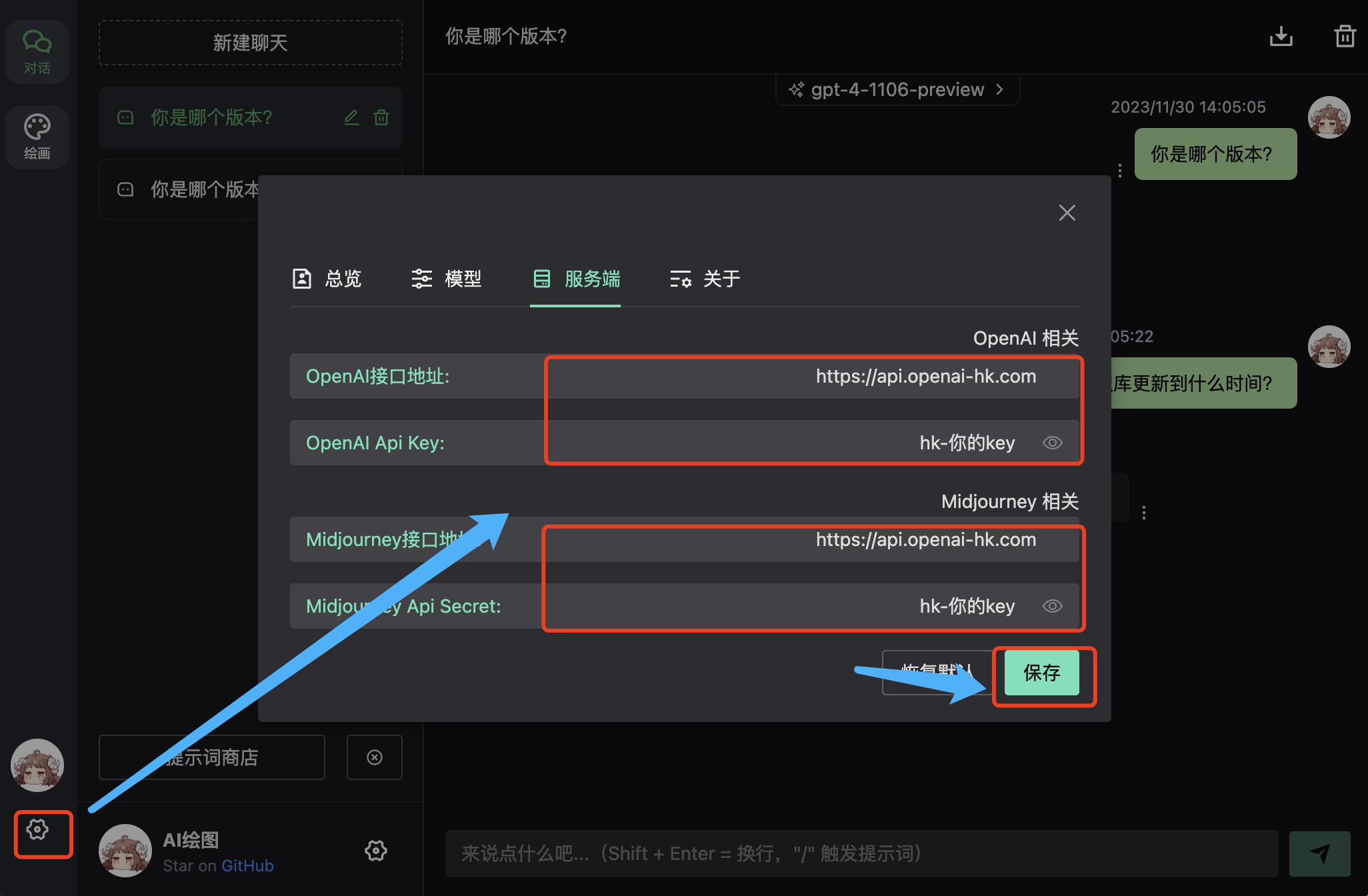
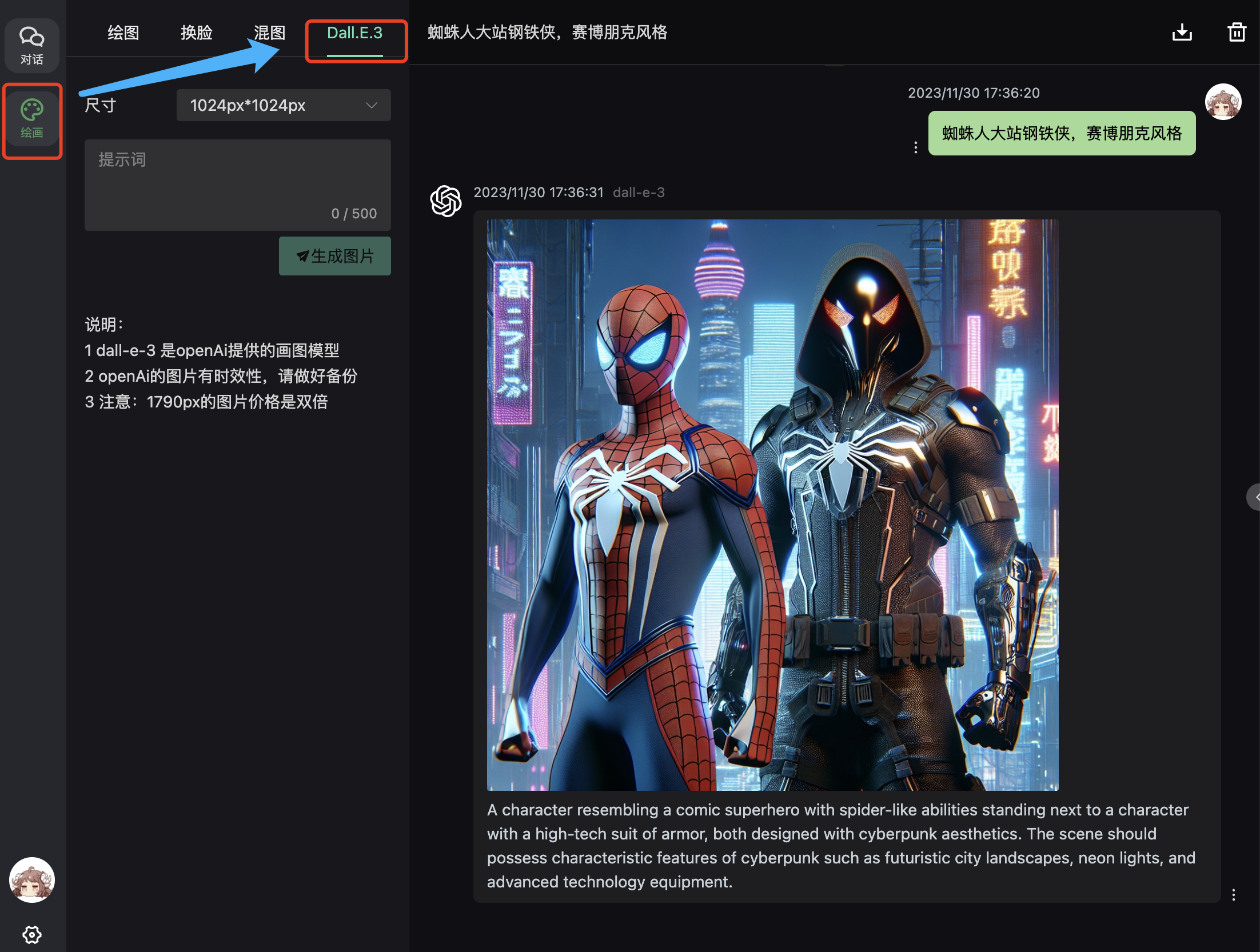
効果
入力欄で対話を質問